Airdrop Checker
Let people check their wallet against your eligibility list.
Plan: Business
The Airdrop Checker block lets respondents connect a wallet and instantly see whether it's on your list. You upload the list; Formz does the matching.
Set it up
- Click Add question, choose Airdrop Checker and add it to your form.
- In the block, click Upload address snapshot and choose a CSV or TXT file of wallet addresses. Formz picks out every
0xaddress in the file, in any column, and ignores everything else. - The block shows how many addresses loaded. Click it again to replace the list.
- Optionally, write claim instructions, such as where and when to claim. Only eligible wallets see them.
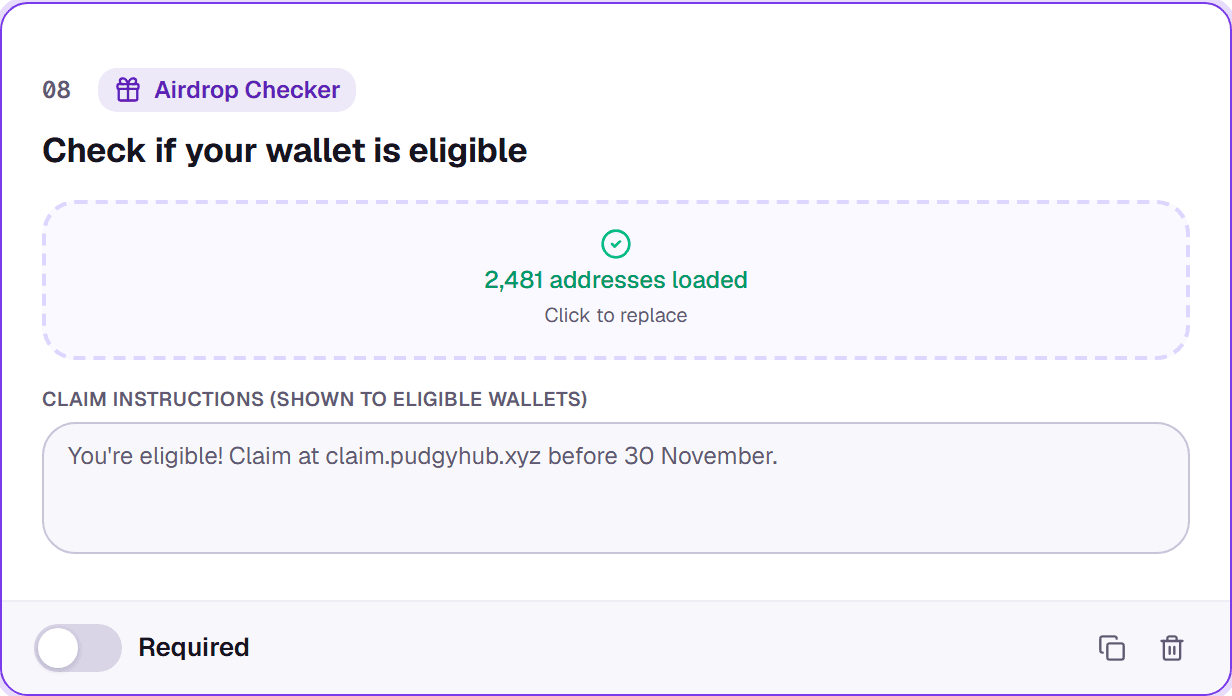
Snapshots take EVM (0x) addresses only. If none are found, Formz tells you instead of saving an empty list.
What respondents see
Respondents connect their wallet and see Eligible! or Not eligible. The result is saved with their response and included in your CSV export, so you can filter by it later.