Conditional logic
Show or hide questions based on earlier answers.
Plan: Business
Conditional logic shows or hides a question depending on how someone answered an earlier one, so people only see questions that apply to them. You need at least two questions first.
Build a rule
Select Form in the left menu, open the Logic tab in the right panel, and click Add rule. Then choose:
- Show or Hide,
- the question the rule affects,
- the earlier question to check,
- the condition, such as "is", "contains", "is greater than" or "is answered", and a value where needed.
The conditions on offer depend on the type of the question you're checking: text, choice and number questions each get their own set.
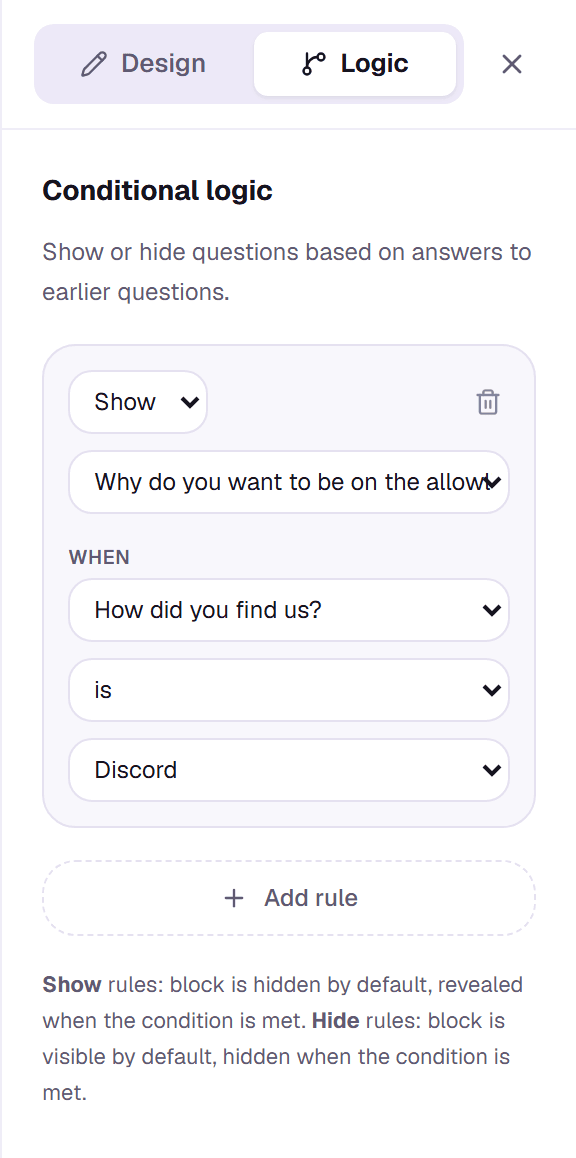
Show rules and hide rules
A Show rule hides its question until the condition is met. A Hide rule shows its question until the condition is met. You can add as many rules as you need; each is checked on its own. Use Preview to try them out before publishing.