Viral Waitlist setup
Launch a waitlist with referral links, spots and points.
Plan: Business
Create one with New form → Viral Waitlist, or pick the Viral Waitlist template under Emails. You build it like any other form, but every signup gets a personal referral link and a status page.
What respondents see
Straight after signing up, each person sees their spot page: their place in line (for example "#42 of 1,284"), how far one more friend would move them, and their personal referral link to copy or share on X, Telegram, WhatsApp or email (on phones, one Share button opens the phone's own share sheet). Their confirmation email links back to the same page, which also shows how many friends joined, their points if you use them, and how many spots they've moved since their last visit.
New sign-ups start at the back of the line, because the list is ordered by referrals (or by points) and ties go to whoever joined first. The page says what their first friend would do for them, so starting last is a reason to share.
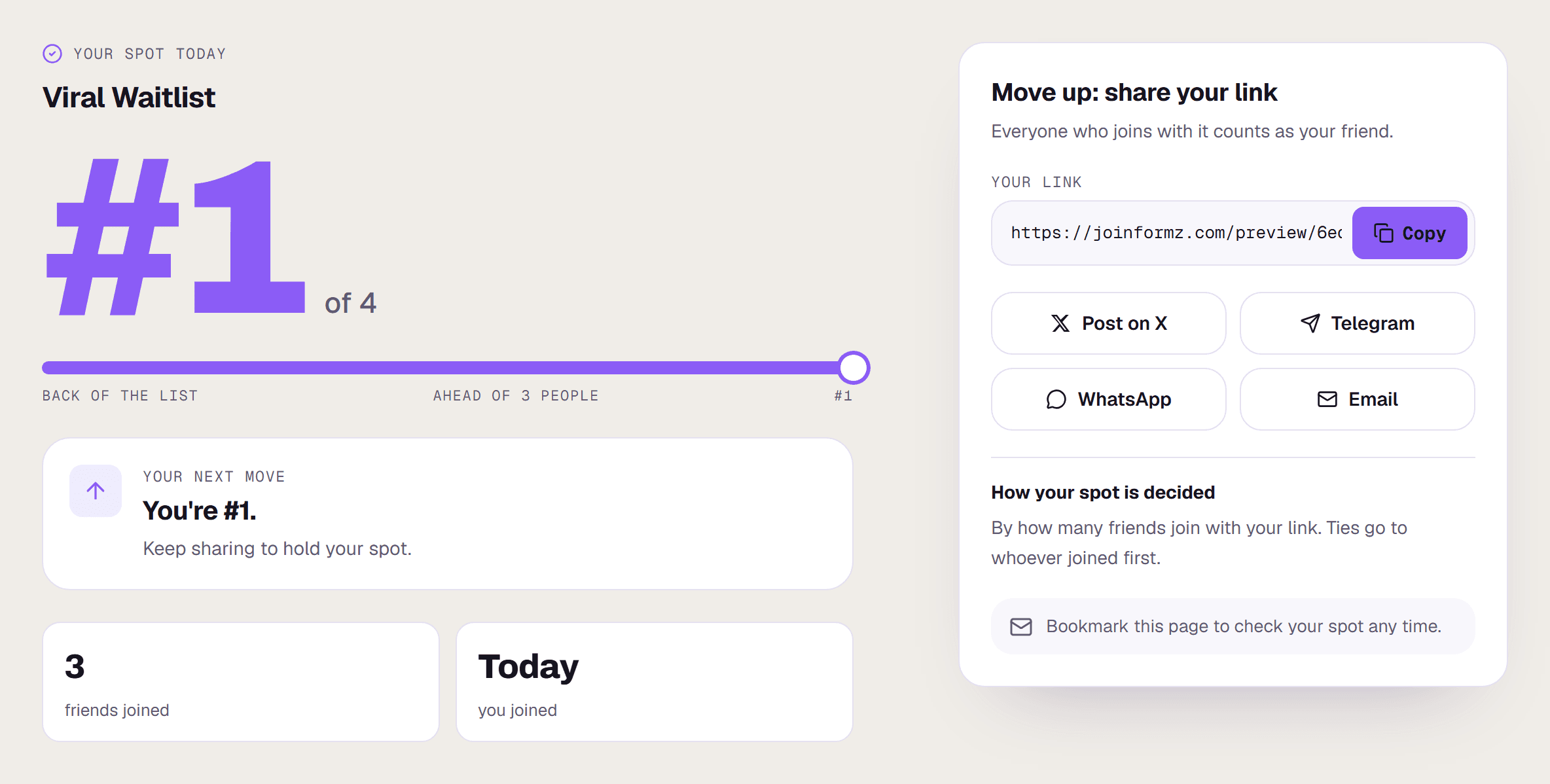
The page uses your form's colour, font and background. Set your company name and logo under Account → Brand kit and they appear at the top. To see it yourself, preview the form from the builder and submit it: the preview shows sample numbers and saves nothing.
Points
Under Settings → Points system, turn on points scoring and give each question a value, plus an optional bonus for finishing. On a Viral Waitlist you can also set a bonus per referral. Points work on any form, not only waitlists.
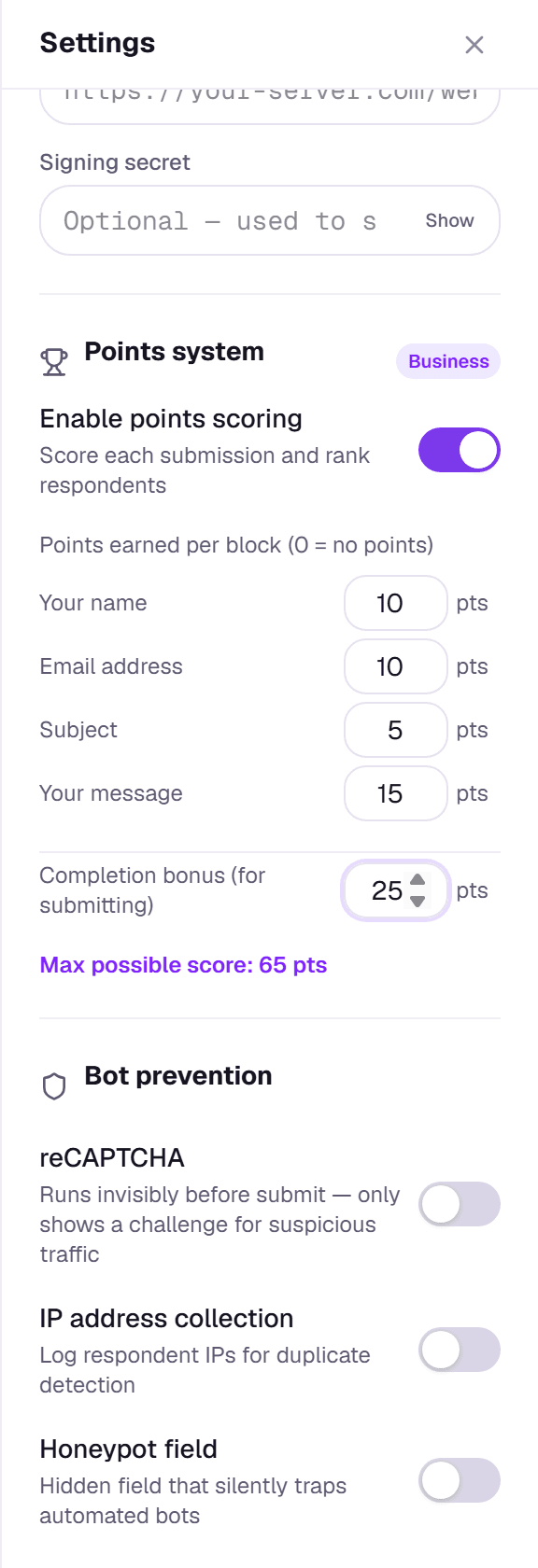
With points on, Responses ranks people by points (a waitlist without points is ranked by referrals), and the CSV export includes a Points column, which works as a leaderboard.
Watch for referral abuse
Formz doesn't count referrals from known throwaway email services, but any referral scheme can attract fake sign-ups. Check the top of your leaderboard before giving out anything of real value.