Form types & templates
Pick a ready-made starting point for what you're collecting.
Choose New form → Browse templates to open the template page. It asks "What are you collecting?" and groups the templates by answer: Emails, Wallets, Feedback, RSVPs, Applications, Quiz scores, or Everything.
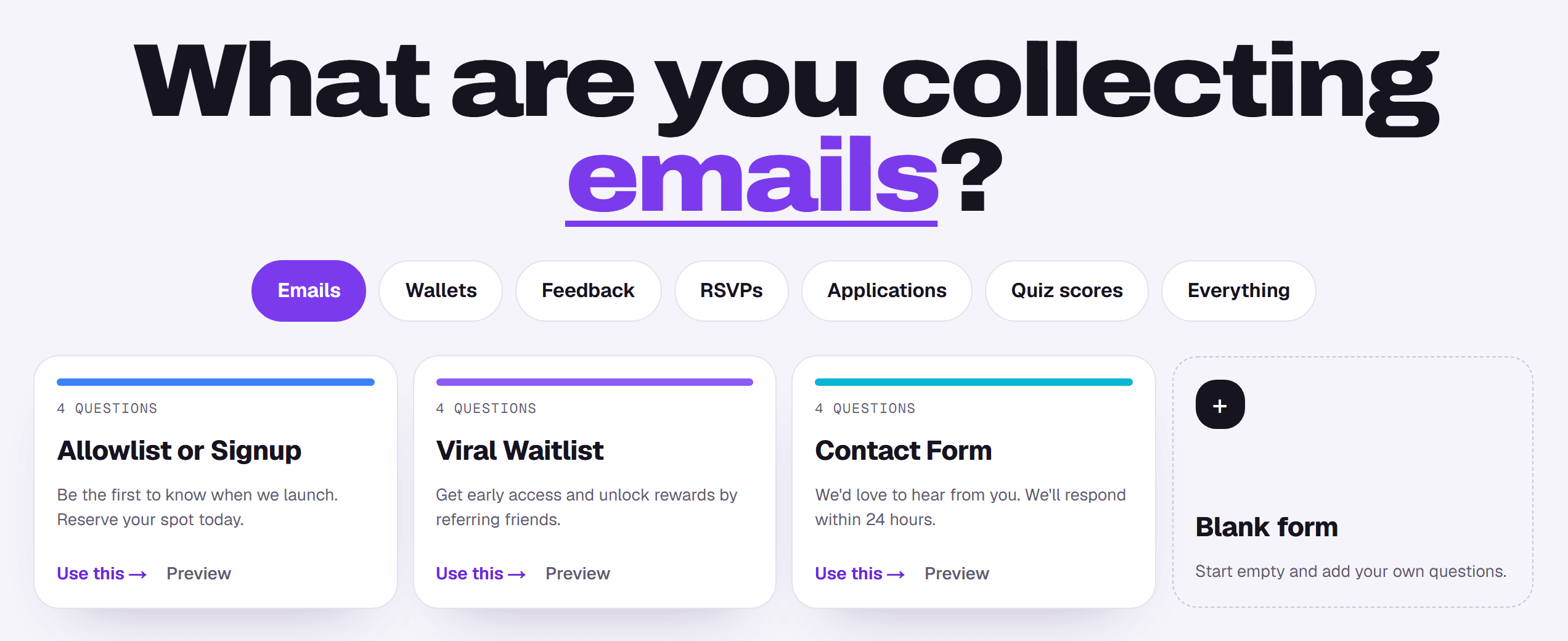
Formz has ten templates:
- Emails: Allowlist or Signup, Viral Waitlist (Business), Contact Form.
- Wallets: Web3 Allowlist, DAO Contributor.
- Feedback: Feedback Form, Survey.
- RSVPs: Event Invite.
- Applications: Application Form, DAO Contributor.
- Quiz scores: Quiz.
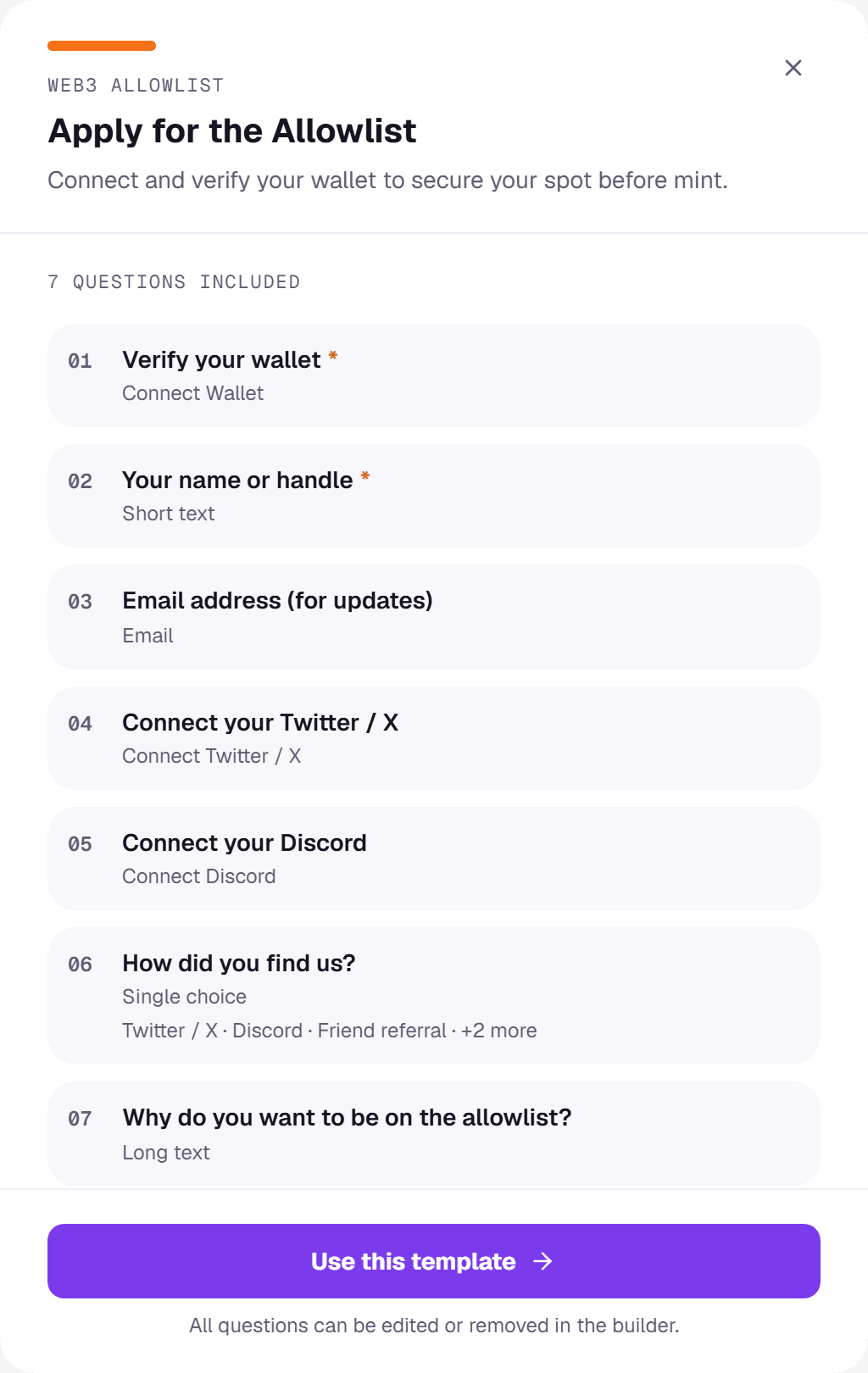
Each card shows how many questions the template has. Click Preview to see every question and its type, then Use this template to open it in the builder. The dashed Blank form card starts from nothing.
Templates are only a starting point
Everything in a template can be changed after you create the form: add, remove, reword or reorder questions, and change the design. Templates save you building common layouts from scratch.
Web3 templates
Web3 Allowlist starts with a Connect Wallet block plus X and Discord sign-in. DAO Contributor starts with a Connect Wallet block. Pair either with an on-chain gate to accept only holders of a token or NFT.