Question types
Every block you can add to a form, and the plan it needs.
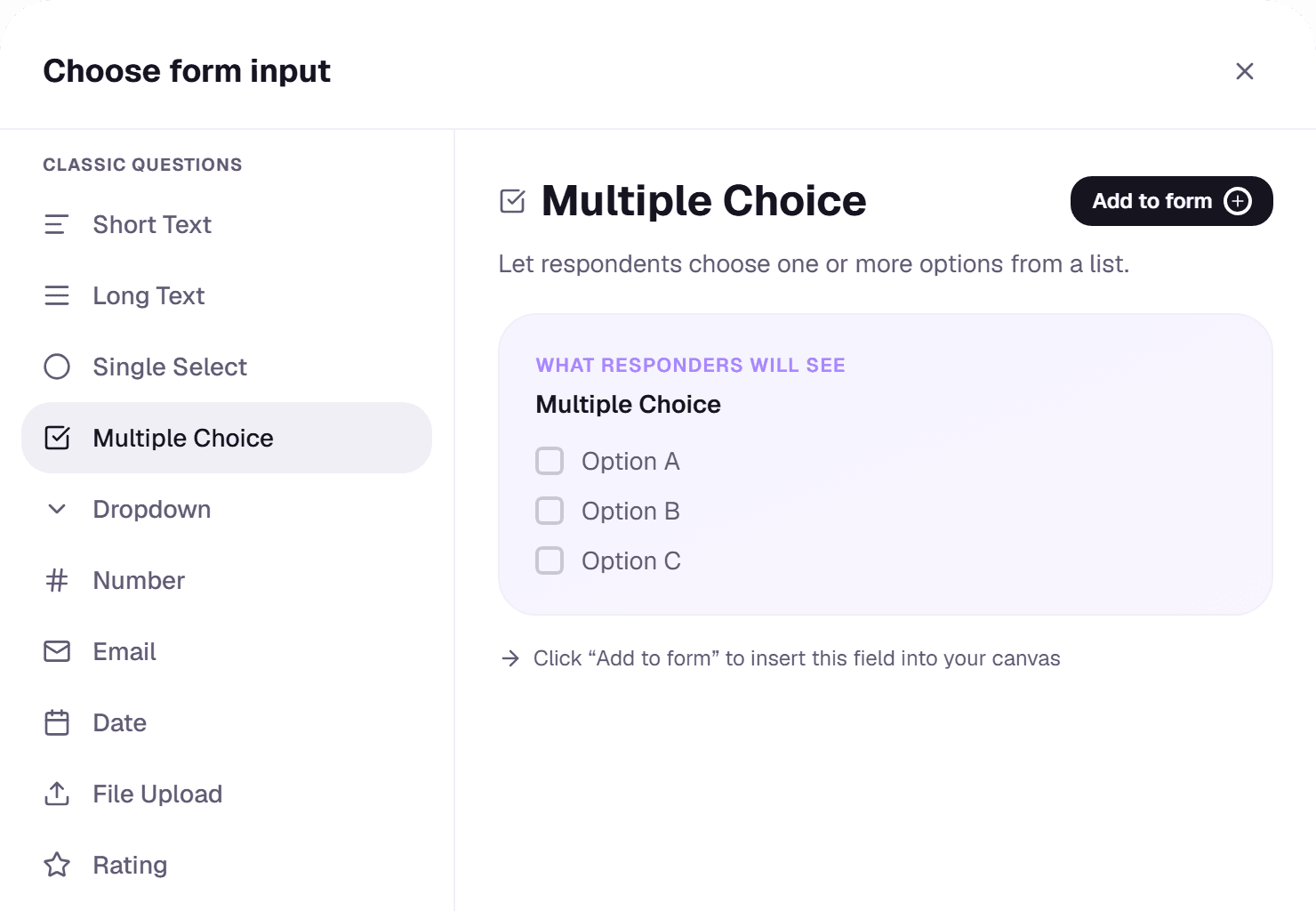
Click Add question in the builder's top bar to open the block picker. Choose a block on the left, check the preview on the right, then click Add to form. If a block needs a higher plan than yours, choosing it shows what the upgrade includes.
Questions (every plan)
- Short Text and Long Text for written answers.
- Email, Number and Date for answers in a set format.
- Single Select, Multiple Choice and Dropdown for picking from options you write.
- Rating for a star score.
Pro blocks
- File Upload lets respondents attach a file.
- Video plays a video respondents must watch to the end before continuing: useful for instructions or consent.
- Wallet Connect (EVM chains) and X/Twitter, Discord, Google, Facebook and LinkedIn sign-in. See Identity verification.
Business blocks
- Telegram sign-in.
- Solana, TON, Sui, Aptos, Starknet, NEAR and Cosmos wallets.
- Airdrop Checker. See Airdrop Checker.
Editing a question
Click a question in the form to edit its wording, options and whether it's required. Drag questions to reorder them. To show a question only after a certain answer, use conditional logic.