API
Read your forms and responses from your own code with an API key.
Plan: Business
The Formz API lets your own code, CRM or reporting tools read your forms and their responses. It's read-only: it can't change forms or answers. To have responses pushed to you as they arrive, use a webhook instead.
Create a key
Open Account → API keys, give the key a name (for example "CRM sync") and select Create key. Copy it straight away: Formz shows the full key only once. You can have up to 10 keys and revoke any of them at any time; a revoked key stops working at once. Only the workspace owner can create keys.
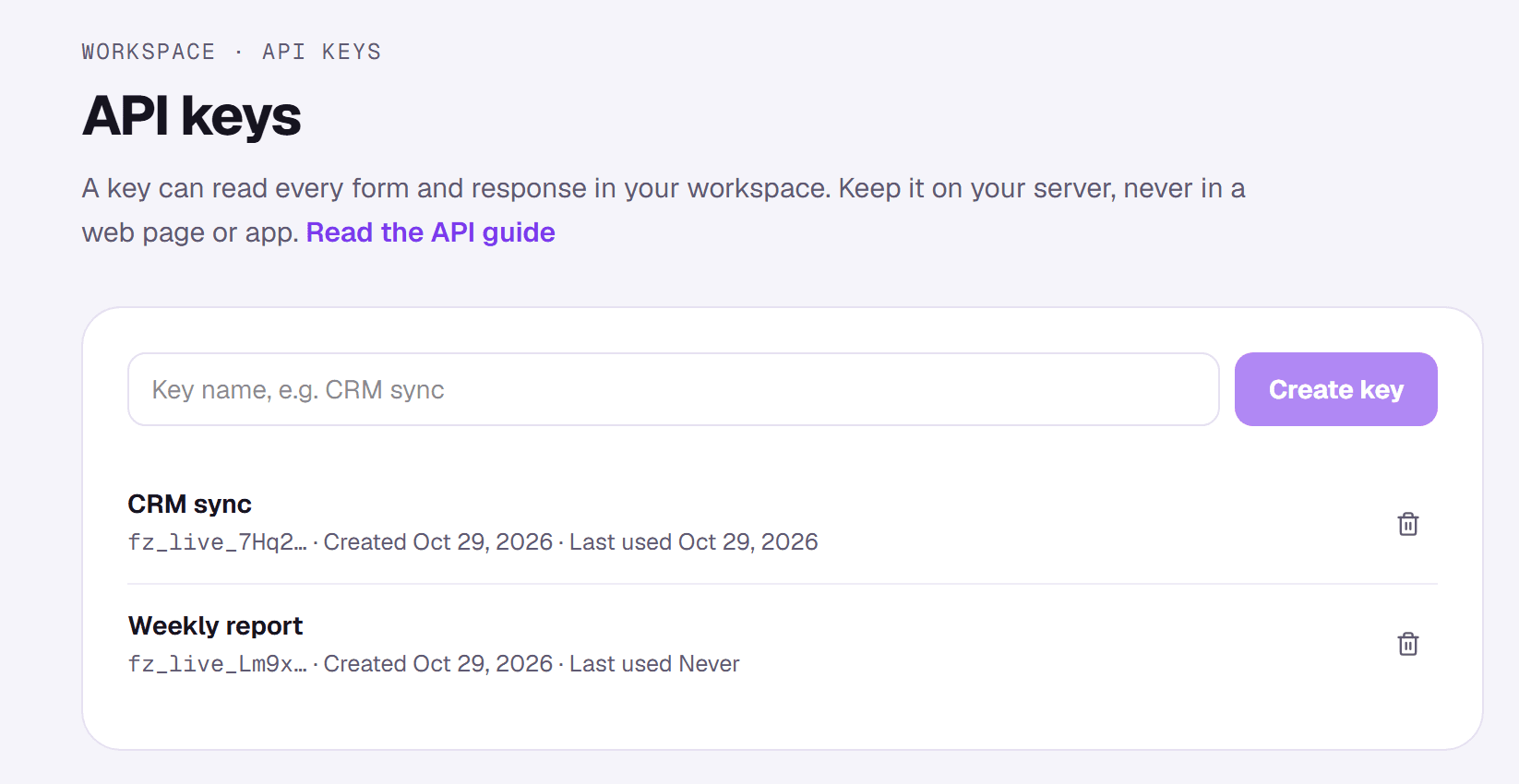
A key can read every form and response in your workspace, so treat it like a password. Keep it on your server and never put it in a web page or mobile app.
Make a request
Send the key in the Authorization header. All requests go to https://joinformz.com/api/v1.
curl https://joinformz.com/api/v1/forms \
  -H "Authorization: Bearer fz_live_…"
Endpoints
GET /forms
Your forms, oldest first.
{
  "data": [
    {
      "id": "5b7c…",
      "title": "Mint allowlist",
      "description": null,
      "status": "live",
      "type": "waitlist",
      "published_at": "2026-10-01T09:00:00+00:00",
      "created_at": "2026-09-30T18:12:40+00:00",
      "updated_at": "2026-10-02T11:30:05+00:00"
    }
  ],
  "next_cursor": null
}
GET /forms/{id}
One form and its questions, in order. choices lists the options for choice questions and is null for the rest.
{
  "data": {
    "id": "5b7c…",
    "title": "Mint allowlist",
    "status": "live",
    "questions": [
      {
        "id": "block_1727…",
        "type": "single_select",
        "question": "Which chain do you use most?",
        "help_text": null,
        "required": true,
        "position": 0,
        "choices": ["Ethereum", "Solana", "Base"]
      }
    ]
  }
}
GET /forms/{id}/responses
The form's responses, oldest first. Each answer's question_id matches a question's id. Wallet and social blocks carry their verified details as the answer, the same as in your CSV export.
{
  "data": [
    {
      "id": "9e21…",
      "respondent_email": "ada@example.com",
      "started_at": "2026-10-01T14:03:22.114+00:00",
      "completed_at": "2026-10-01T14:03:22.114+00:00",
      "total_points": 0,
      "referral_code": "9e21…",
      "referred_by": null,
      "referred_count": 0,
      "answers": [
        {
          "question_id": "block_1727…",
          "question": "Which chain do you use most?",
          "type": "single_select",
          "answer": "Base"
        }
      ]
    }
  ],
  "next_cursor": "MjAyNi0xMC0wMVQx…"
}
Add ?since=2026-10-01T00:00:00Z to get only responses from that time on. It's the easiest way to sync: save the time of your last run and pass it next time.
Pages
Lists return 50 items per page. Set ?limit= to anything from 1 to 100. When there's more, next_cursor is set: pass it back as ?cursor= (with the same other parameters) to get the next page. When it's null, you have everything.
Limits and errors
Each key can make 60 requests a minute. Errors come back with an HTTP status and a body like {"error": {"code": "rate_limited", "message": "…"}}:
401 unauthorized: the key is missing, wrong or revoked.403 plan_required: the workspace isn't on Business. Keys are kept and work again after an upgrade.404 not_found: no form with that id in your workspace.400 invalid_request: a parameter isn't valid; the message says which.429 rate_limited: too many requests. Wait for the seconds in theRetry-Afterheader.